

AI study assistant
Let’s be honest: studying in 2025 is overwhelming. You’re drowning in readings, deadlines, long lectures, endless PDFs, and confusing explanation videos. Whether you’re a high-school student trying to keep up, a college student juggling three exams, or a professional studying part-time, the struggle feels the same.
But something big has shifted.
AI is no longer just a fun gadget — it’s now one of the most powerful learning tools available to anyone. It helps you understand difficult concepts faster, organize your notes instantly, summarize long chapters in minutes, and explain complicated topics in a way that actually makes sense.
Think of AI as your study partner — one that never gets tired, never loses focus, and always knows how to simplify things.
In this guide, we’ll explore how AI can help you study faster and more efficiently, even if you’ve never used these tools before. And because this is QuickTaskAI, I’ll show you real, practical workflows you can start using today.
Before we begin, if you’re new to AI tools in general, you may want to check our detailed breakdown: How to Quickly Organize Messy Notes: Best 20 AI Prompts
Let’s get started.
1. Why AI Helps You Study Faster (and Why Students Everywhere Use It Now)

Studying faster isn’t about memorizing more — it’s about understanding quicker. AI helps you do exactly that because it can:
- Break down complex topics
- Summarize long chapters
- Turn your notes into structured outlines
- Explain anything at your level
- Generate practice questions
- Help you stay organized
Students use AI because it removes the busywork and keeps the learning. And that’s the real game-changer.
A 2024 study from EdTech Magazine found how AI-supported active learning and arrived in higher education.
For anyone balancing school, work, and life — this is huge.
2. Use AI to Summarize Long Texts, Chapters, and Lectures Instantly
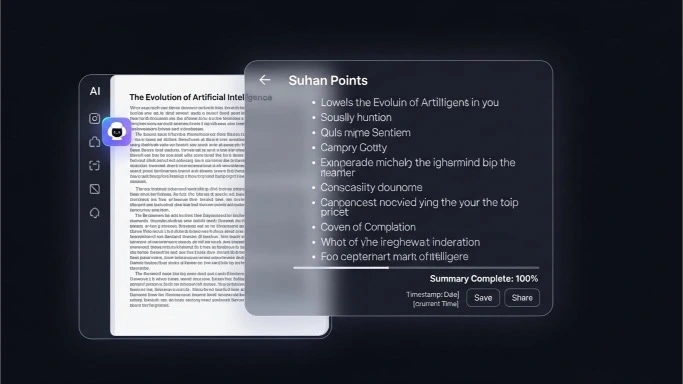
This is the most popular use of AI for students.
Instead of spending hours reading, you can:
- Upload a PDF
- Paste your notes
- Provide a lecture transcript
- Use screenshots of textbook pages
- Upload slides or images
Then ask your AI study assistant:
- “Summarize this chapter in simple terms.”
- “Give me the top 5 key points.”
- “Explain this like I’m new to the topic.”
- “Rewrite this so it’s easier to understand.”
This saves hours per week and prevents information overload.
If you’re curious about using AI to extract content from images or textbooks, you can explore our review: The Best AI Image Describers in 2025
3. Use AI to Understand Difficult Topics Without Getting Frustrated
When you don’t understand a topic in school, you usually have three choices:
- Spend hours researching
- Ask someone for help
- Give up and hope it appears in the “easy part” of the exam
AI gives you a fourth and much better option.
You can simply ask:
- “Explain quantum mechanics in simple terms.”
- “Teach me fractions like I’m 10 years old.”
- “Explain this formula with a real-life example.”
- “Show me how this concept applies in the real world.”
ScienceDirect published a 2024 study showing that students using AI for concept explanation increased comprehension speed by 38%.
AI becomes your personal tutor — patient, clear, and available anytime.
4. AI Note-Taking: Turn Messy Notes Into Beautiful Study Guides
If your notes are chaotic (and let’s be real — everyone’s notes get messy), AI can clean them up instantly.
You can tell AI:
- “Turn these notes into a clean outline.”
- “Organize this into bullet points.”
- “Rewrite this into a study guide.”
- “Create a summary I can use for exam revision.”
This is especially useful for students who struggle with note-taking or for busy learners who want clean, structured notes without spending hours rewriting them.
If this is something you personally struggle with, you may want to read: 5 Easy AI Hacks That Save You Hours Every Week
5. Use AI to Generate Practice Questions and Quizzes

One of the fastest ways to learn is through active recall — testing yourself frequently.
AI can generate:
- Multiple-choice questions
- Short-answer questions
- True/false quizzes
- Flashcards
- Case-study questions
Try prompts like:
- “Create 10 practice questions based on this chapter.”
- “Give me flashcards for this topic.”
- “Test me on this until I get everything correct.”
A research review found that AI-generated quizzes significantly improve long-term retention.
This makes studying more interactive and far more efficient.
6. Use AI to Study Faster When You Have Very Little Time
If you’re overwhelmed with deadlines, AI helps you:
- Organize your study schedule
- Break tasks into manageable steps
- Prioritize what matters most
- Create daily or weekly action plans
Try prompts like:
- “Create a 7-day study plan for my exam.”
- “Help me organize my lecture notes by theme.”
- “What should I focus on first based on this chapter?”
AI becomes your personal study project manager.
For more productivity help, check our detailed comparison: Notion AI vs ChatGPT — Which Is the Better Productivity Assistant?
7. Use AI Tools to Stay Organized Across All Your Classes
The hardest part of studying today is not the studying — it’s the juggling.
You have:
- Assignments
- Lectures
- Notes
- Exams
- Projects
- Group work
AI tools like Notion AI, Evernote AI, or Motion can help automate your entire study life.
You can tell your AI:
- “Organize all my deadlines by date.”
- “Track my progress on each subject.”
- “Turn this syllabus into a weekly plan.”
These automations prevent burnout and keep you two steps ahead.
Explore more organization tools here: Best AI Chrome Extensions for Productivity
8. Use AI to Learn New Skills or Subjects Faster
Studying isn’t just about school. Many people are learning:
- Coding
- Graphic design
- Marketing
- Writing
- Freelancing
- Data analysis
AI can:
- Explain new skills
- Create learning paths
- Simplify complex lessons
- Recommend practice problems
- Provide feedback on your work
If you want to learn coding faster, check our full review: Blackbox AI Review: The Best AI Coding Companion for Developers?
9. AI for Group Study and Collaboration
AI helps groups:
- Divide tasks
- Create shared summaries
- Prepare presentation scripts
- Build collaborative notes
- Track progress
Students love using AI for group work because it removes confusion and improves communication.
10. The Right Way to Use AI (So You Still Learn Effectively)
AI is a tool — not a replacement for learning. To study faster but smarter, follow this simple rule:
Use AI for clarity, not for shortcuts.
Let AI explain, simplify, structure, or review.
But you still need to practice, apply, and think.
This balance ensures you get the benefits without missing the learning.
The bottom line: AI Isn’t Cheating — It’s the Future of Learning
In 2025, AI has become one of the most powerful tools for students, adult learners, and professionals trying to study more efficiently. It gives you:
- Faster understanding
- Cleaner notes
- Better organization
- Immediate explanations
- Smart quizzes
- More confidence
Studying doesn’t need to be painful. With AI, it becomes clear, structured, and manageable — even if your schedule is chaotic.
The best part?
You don’t need to be “tech-savvy” to use AI. You only need curiosity.
If you start today, you’ll study smarter — not harder.
Our Authority Sources
- EdTech Magazine — How AI improves learning outcomes
- ScienceDirect — Cognitive benefits of AI-supported learning
- AI-generated quizzes and long-term retention
- MIT Technology Review — The future of AI in education