

Writing has always taken time. Whether you’re working on blog posts, emails, school assignments, social media captions, or client content, the process usually looks the same: staring at a blank page, struggling with wording, rewriting sentences, and second-guessing yourself.
That’s where AI writing tools come in — not to replace writers, but to support and speed up the writing process.
If you’re new to AI, this guide will walk you through:
- How AI can improve your writing (without sounding robotic)
- The best beginner-friendly AI tools
- Real examples of how people use AI to write faster and better
- Common mistakes beginners make (and how to avoid them)
You don’t need technical skills. You don’t need to be a professional writer.
You just need the right approach — and that’s exactly what this guide gives you.
If you want to save time beyond writing, read 5 Easy AI Hacks That Save You Hours Every Week.
What AI Writing Tools Actually Do (In Simple Terms)
AI writing tools don’t “think” like humans, but they are very good at patterns. They analyze millions of text examples and learn how language flows.
Here’s what they help with most:
- Turning rough ideas into clear sentences
- Fixing grammar and awkward phrasing
- Rewriting text to sound more natural
- Generating outlines and drafts
- Improving tone and clarity
- Summarizing long content
AI works best when you treat it like a writing assistant, not a replacement.
Who Should Use AI to Improve Writing?
AI writing tools are useful for almost everyone:
Students
- Essays
- Study notes
- Summaries
- Research explanations
Freelancers & Professionals
- Blog posts
- Client emails
- Proposals
- Reports
Content Creators
- Articles
- Social media posts
- Video scripts
- Newsletters
Small Business Owners
- Website content
- Product descriptions
- Marketing copy
AI adapts to your level — beginner or advanced.
The Best AI Writing Tools for Beginners
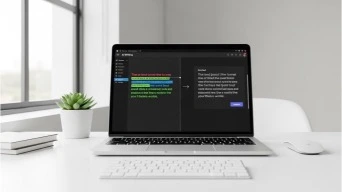
You don’t need dozens of tools. Start simple.
1. ChatGPT (All-Purpose Writing Assistant)
ChatGPT is one of the easiest ways to begin writing with AI. You can ask it to:
- Rewrite sentences
- Generate drafts
- Improve tone
- Explain grammar mistakes
It’s especially useful for beginners because you can talk to it naturally.
See Notion AI vs ChatGPT: Which Is the Better Productivity Assistant to understand where ChatGPT shines.
2. Grammar & Editing AI Tools
Tools like grammar AI focus on clarity, structure, and flow rather than creativity.
They help with:
- Grammar fixes
- Sentence clarity
- Tone improvement
Read Is Gramhir Pro AI the Best Grammar Tool in 2025? for a full review.
3. AI Editors for Content Polishing
AI editors help refine what you’ve already written rather than starting from scratch.
They’re perfect when:
- You have ideas but need better wording
- You want more professional tone
- You’re editing long articles
Explore The Best AI Editors.
4. AI Note & Idea Organizers
Writing often starts with messy notes. AI can organize thoughts into clean outlines.
For related reading, check out our article: How to Quickly Organize Messy Notes: Best 20 AI Prompts
How to Use AI to Improve Writing (Step by Step)
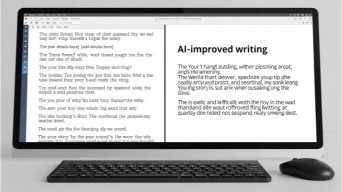
Step 1: Start With Your Own Ideas
Never begin with “write everything for me.”
Instead, try:
- Bullet points
- Rough thoughts
- Short paragraphs
Then ask AI to improve, not replace.
Example prompt:
“Improve this paragraph while keeping a natural, human tone.”
Step 2: Use AI to Fix Structure and Flow
AI is excellent at:
- Breaking long sentences
- Improving transitions
- Making text easier to read
This helps keep your Flesch Reading Ease healthy and your writing accessible.
Step 3: Adjust Tone (Very Important)
Tone matters. AI can write in many styles if you guide it.
Examples:
- Friendly and conversational
- Professional but simple
- Educational and calm
Prompt example:
“Rewrite this in a conversational but professional tone for beginners.”
Step 4: Use AI for Rewriting, Not Copying
Rewriting is where AI shines:
- Shorten long sentences
- Remove repetition
- Improve clarity
This keeps your writing original and human-sounding.
Step 5: Final Human Review
Always read the final version yourself.
- Does it sound like you?
- Is it clear?
- Does it feel natural?
AI supports your voice — it doesn’t replace it.
Real Examples of AI Improving Writing
Example 1: Student Essay
A student writes rough paragraphs. AI:
- Fixes grammar
- Improves clarity
- Suggests better transitions
Result: Same ideas, better structure.
Example 2: Blogger Writing Faster
A blogger uses AI to:
- Generate outlines
- Improve drafts
- Rewrite intros
Result: Same quality, half the time.
Example 3: Freelancer Client Work
A freelancer uses AI to:
- Polish proposals
- Rewrite emails
- Improve tone
Result: More professional communication.
Common Beginner Mistakes (And How to Avoid Them)
Mistake 1: Copy-Pasting Without Editing
AI content must be reviewed and adjusted.
Mistake 2: Overusing AI
AI should assist — not dominate your writing.
Mistake 3: Ignoring Tone
Always guide AI with tone instructions.
Mistake 4: Writing Prompts That Are Too Vague
The clearer your prompt, the better the result.
Does Google Penalize AI Writing?
No — Google penalizes low-quality content, not AI itself.
What Google wants:
- Helpful content
- Original ideas
- Clear structure
- Real value
Human-guided AI content is completely acceptable.
Best Practices for Writing With AI in 2025
- Use AI as an assistant
- Start with your own ideas
- Edit before publishing
- Add personal insights
- Focus on value, not volume
Google Search Central explains that content quality matters more than how it’s produced.
How AI Helps You Write Faster Without Lowering Quality

AI saves time by:
- Eliminating blank-page fear
- Speeding up rewrites
- Improving clarity instantly
- Reducing editing fatigue
This is why AI is now standard for:
- Bloggers
- Students
- Freelancers
- Businesses
Tools That Pair Well With AI Writing
- Note-taking tools
- Grammar AI
- SEO optimization tools
- Productivity planners
For deeper information, read the following articles:
Which AI SEO Tools Deliver the Best Results in 2025
Best AI Chrome Extensions for Productivity
The Takeaway: AI Makes You a Better Writer — Not a Fake One
AI doesn’t replace creativity.
It removes friction.
When used correctly, AI helps you:
- Write faster
- Communicate better
- Feel more confident
- Stay consistent
You don’t lose your voice — you strengthen it.
If you’re a beginner, start small.
Let AI assist, not lead.
And always keep your human touch front and center.
QuickTaskAI Tip: The best writers aren’t replaced by AI — they’re empowered by it.