
Let’s be honest.
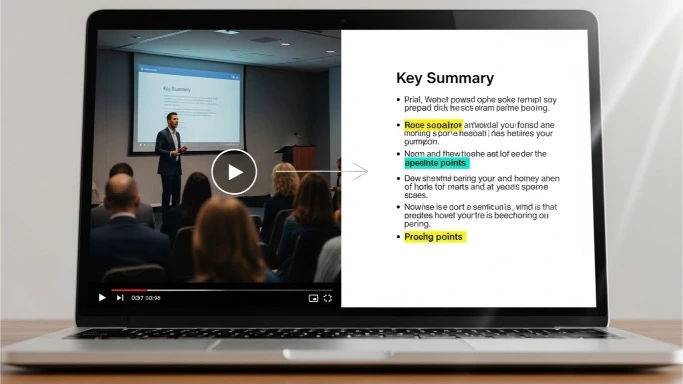
Most videos don’t need to be watched from start to finish.
Meetings. Webinars. Tutorials. Interviews.
They’re valuable — but they’re also time-heavy.
That’s why more people are searching for the best AI video summarization tools. Not to skip learning, but to get the point faster.
If you’re a freelancer, small business owner, student, or content creator, video summaries can save hours every week — without missing the key ideas.
This guide breaks down:
- What video summarization tools actually do
- Which ones are worth using
- How to choose the right tool for your needs
No hype. Just practical help.
What Is AI Video Summarization (in Plain English)?
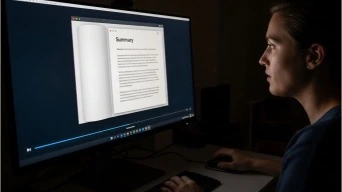
Video summarization tools do three main things:
- Turn video into text (transcription)
- Identify key moments (topics, highlights, action items)
- Create short summaries you can read in minutes
Instead of watching a 60-minute video, you get:
- A short written summary
- Bullet points
- Timestamps
- Sometimes even action items
That’s the real value.
Who Benefits Most from Video Summarization Tools?
These tools are especially useful if you:
- Attend lots of meetings
- Watch educational videos regularly
- Create content from video
- Research topics on YouTube
- Manage a team or clients
They’re not just for tech people. They’re for anyone short on time.
The Best AI Video Summarization Tools (Tested & Compared)
Below are the most reliable and widely used tools — each with different strengths.
1. Otter.ai
Best for: Meetings and interviews
Otter.ai is one of the most popular tools for turning video calls into clean summaries.
It works especially well with:
- Zoom meetings
- Google Meet
- Recorded interviews
You get:
- Full transcript
- Short summary
- Speaker identification
- Searchable notes
This is a favorite among consultants, freelancers, and teams.
Website: https://otter.ai
2. Fireflies.ai
Best for: Action-focused summaries
Fireflies goes beyond transcription.
It highlights:
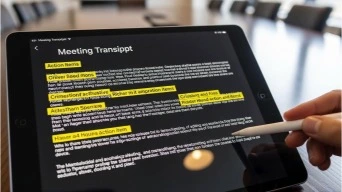
- Action items
- Key decisions
- Follow-ups
If you’re tired of rewatching meetings just to remember what to do next, this tool is a big help.
Website: https://fireflies.ai
3. Descript
Best for: Creators and editors
Descript is ideal if you:
- Edit videos or podcasts
- Repurpose content
- Create clips from long videos
It lets you:
- Edit video by editing text
- Remove filler words
- Generate summaries
Perfect for content-heavy workflows.
Website: https://www.descript.com
Read also our article about AI Content Tools
4. Notta
Best for: Clean transcripts + summaries
Notta focuses on accuracy and simplicity.
It’s great for:
- Recorded lectures
- Interviews
- Business calls
You get structured summaries without clutter.
Website: https://www.notta.ai
5. Pictory
Best for: Summarizing videos into short clips
Pictory is different.
Instead of summarizing into text, it:
- Turns long videos into short highlight clips
- Extracts key moments
- Helps with social media repurposing
Useful for marketers and creators.
Website: https://pictory.ai
6. Veed
Best for: Quick summaries + captions
Veed combines:
- Video editing
- Subtitles
- Simple summaries
It’s easy to use and good for short-form content.
Website: https://www.veed.io
7. Sonix
Best for: Accuracy and multilingual videos
Sonix is strong when you need:
- Multiple languages
- High transcription accuracy
- Professional summaries
It’s commonly used by researchers and agencies.
Website: https://sonix.ai
How to Choose the Best AI Video Summarization Tool for You
Don’t overthink it.
Ask yourself:
- Do I need meeting summaries or content summaries?
- Do I want text only or video clips?
- Is accuracy or speed more important?
Simple recommendations:
- Meetings → Otter.ai or Fireflies
- Content creation → Descript or Pictory
- Learning & research → Notta or Sonix
Real Examples of How These Tools Save Time
Instead of:
- Watching a 90-minute webinar
You get: - A 5-minute summary
Instead of:
- Replaying meetings
You get: - Clear action items
Instead of:
- Manual note-taking
You get: - Searchable transcripts
That’s where the time savings come from.
Common Mistakes People Make with Video Summarization Tools
- Expecting perfect summaries without review
- Using the wrong tool for the task
- Ignoring timestamps and context
These tools work best as assistants, not replacements for judgment.
Short FAQ: AI Video Summarization Tools
Q1: Are video summarization tools accurate?
Yes, especially for clear audio and structured videos.
Q2: Can they summarize YouTube videos?
Many tools support uploaded or linked videos.
Q3: Do I still need to watch the video?
Sometimes — but usually only specific parts.
Q4: Are these tools good for small businesses?
Absolutely. They save time and improve follow-through.
Final Thoughts: Watch Less, Learn More

The best AI video summarization tools don’t just save time.
They help you:
- Focus on what matters
- Avoid information overload
- Turn video into action
If video is part of your work or learning, summaries are no longer optional — they’re practical.
Choose one tool. Test it for a week.
You’ll notice the difference fast.