
Descript vs Adobe Podcast AI
You’re staring at three hours of raw podcast audio. Background noise from your guest’s home office. “Ums” and “ahs” every few sentences. Long pauses where you lost your train of thought.
The old way? Spend another three hours manually cleaning this up in Audacity, cutting every filler word, applying noise gates, and exporting to your hosting platform.
The new way? Upload to Descript or Adobe Podcast AI and let artificial intelligence handle most of it in minutes.
But which tool should you choose? I spent two months editing the same podcast episodes in both platforms to find out. From weekly interview shows to solo commentary episodes, I tested every feature, compared pricing, and measured actual time saved.
The answer isn’t simple—these tools target different podcasters with different needs. Choosing wrong will cost you hours of frustration and potentially hundreds of dollars annually.
Quick Answer: Descript vs Adobe Podcast AI
Choose Descript if:
- You edit 4+ episodes monthly
- Filler word removal matters (saves 30-45 min per episode)
- You want text-based editing (revolutionary for verbal content)
- Budget: $12-24/month
Choose Adobe Podcast AI if:
- You need quick audio enhancement only
- Publishing 1-2 episodes monthly
- Don’t need advanced editing features
- Budget: $0-10/month
The verdict: Descript is better for serious podcasters. Adobe Podcast AI is better for casual creators needing basic cleanup.
For our complete guide to AI video and audio editing tools, see Best AI Video Editing Tools 2026.
What Each Tool Actually Does
Adobe Podcast AI: The Simple Enhancer
Adobe Podcast offers free access to all three tools with limitations. The free tier includes: Enhance Speech processing for 1 hour daily (30-minute files, 500MB max), full access to Mic Check with no restrictions, and Studio access after receiving an invitation.
Core features:
- Enhance Speech: One-click noise removal and voice clarity
- Mic Check: Analyzes your recording setup
- Studio: Browser-based recorder and basic editor
What it’s built for: Quick audio cleanup without technical knowledge.
Descript: The Complete Production Suite
Core features:
- Text-based editing: Edit audio by editing the transcript
- Studio Sound: AI noise removal (like Adobe’s Enhance)
- Filler word removal: One-click removal of “um,” “uh,” “like”
- Overdub: AI voice cloning for corrections
- Multi-track editing: Professional timeline editing
- Video support: Edit video podcasts
What it’s built for: Professional podcast production from recording to publishing.
Head-to-Head Feature Comparison
Audio Enhancement Quality
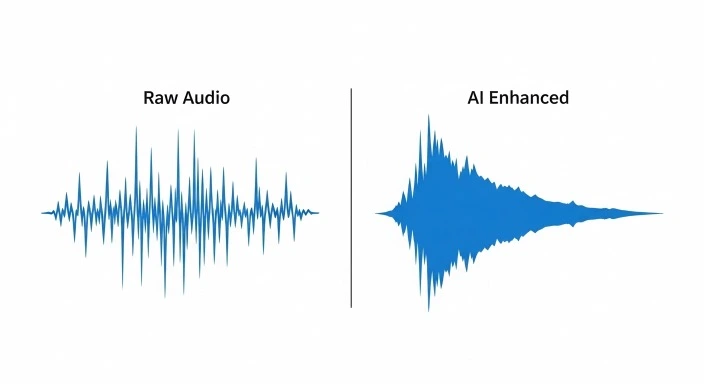
Adobe Enhance Speech:
Tested on podcast recorded with laptop mic in untreated room:
- Noise reduction: Excellent (removed AC hum, keyboard clicks)
- Voice clarity: Good, but sometimes overly processed
- Processing time: 3-5 minutes for 30-min file
The V2 problem: The Enhance Speech V2 feature has received significant criticism for producing robotic-sounding audio, with users reporting issues like muffled sounds, compressed voices, and inconsistent noise leveling.
In my testing, V2 sometimes made voices sound artificial, especially on already-clean audio.
Descript Studio Sound:
Same test file:
- Noise reduction: Excellent (comparable to Adobe)
- Voice clarity: More natural sounding
- Processing time: 2 minutes
Winner: Descript (more natural results, faster processing)
Editing Workflow Speed
Adobe Podcast AI workflow:
30-minute interview episode:
- Upload to Enhance Speech: 2 min
- Wait for processing: 4 min
- Download enhanced file: 1 min
- Import to DAW for cutting: 2 min
- Manually cut filler words: 45 min
- Cut long pauses: 15 min
- Export: 3 min
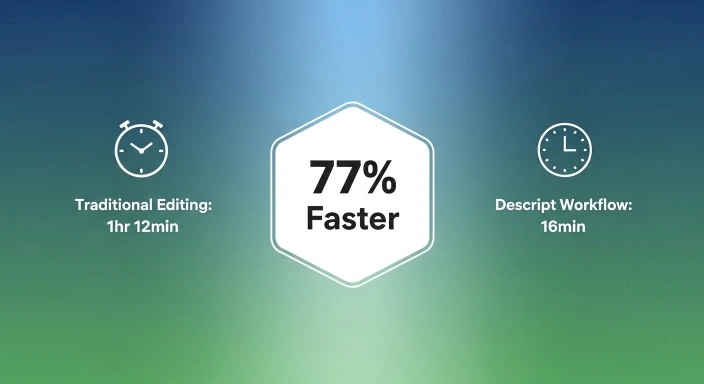
Total: 1 hour 12 minutes
Descript workflow:
Same episode:
- Import & auto-transcribe: 3 min
- Studio Sound (one click): 2 min
- Remove filler words (one click): 30 seconds
- Edit via transcript (delete rambling sections): 8 min
- Export: 3 min
Total: 16 minutes 30 seconds
Winner: Descript saves 55 minutes (77% faster)
The difference? Text-based editing. Deleting a paragraph in the transcript deletes that audio section. Finding and cutting 83 “ums” manually in Adobe takes 45 minutes. In Descript: one click.
Learning Curve
Adobe Podcast AI:
- Setup time: 5 minutes
- First enhanced file: 10 minutes
- Proficiency: Immediate (literally one-click)
Descript:
- Setup time: 15 minutes
- First edited episode: 1 hour (learning text-based editing)
- Proficiency: 3-5 hours
Winner: Adobe (much easier to learn)
But the investment pays off. After editing 3 episodes in Descript, you’re faster than you’d ever be manually editing.
Pricing Comparison 2026
Adobe Podcast AI
Free Plan:
- Enhance Speech: 1 hour/day processing
- 30-minute file limit
- Mic Check: Unlimited
- Studio: Limited downloads
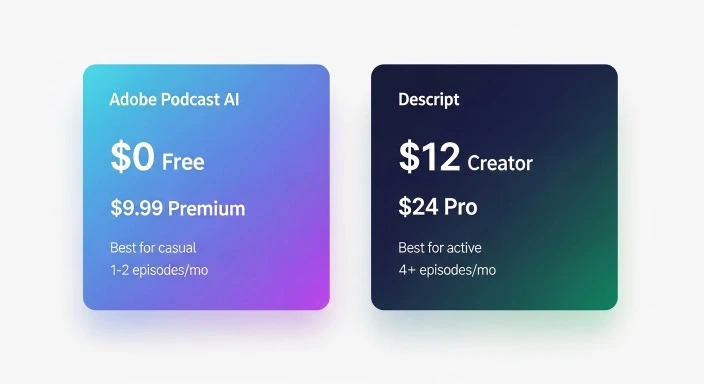
Premium: $9.99/month ($99.99/year)
- The Premium plan extends Enhance Speech to 4 hours daily processing with files up to 2 hours and 1GB, adds batch uploads and video support, and removes Studio download limits
- Batch processing
- Video file support
Best for: Casual podcasters (1-2 episodes/month)
Descript
Free Plan:
- 1 video/month
- Watermarked
- Very limited
Creator: $12/month ($144/year)
- 10 hours transcription/month
- Studio Sound
- Filler word removal
- No watermark
- HD export
Pro: $24/month ($288/year)
- 30 hours transcription/month
- 4K export
- Overdub (voice cloning)
- Advanced features
Best for: Active podcasters (4+ episodes/month)
Cost-Per-Episode Breakdown
Adobe Premium: $10/month ÷ 4 episodes = $2.50/episode
Descript Creator: $12/month ÷ 4 episodes = $3/episode
But: Descript saves 55 minutes per episode.
If your time is worth $25/hour:
- Time saved: 55 min = $23 value
- Tool cost: $3
- Net value: $20 saved per episode
Adobe saves editing time too (versus manual), but Descript saves dramatically more.
Real Use Cases: Which Tool When
Use Adobe Podcast AI When:
✅ Publishing 1-2 episodes monthly
You need basic enhancement, not full production suite
✅ Guest audio rescue
Your guest recorded on terrible equipment, you just need to save it
✅ Budget under $10/month
Free tier works for occasional use
✅ Don’t want to learn new software
Literally one-click enhancement
Use Descript When:
✅ Publishing 4+ episodes monthly
Time savings justify $12/month easily
✅ Interview/dialogue-heavy shows
Filler word removal alone saves 30-45 min per episode
✅ Video podcasts
Descript handles video, Adobe doesn’t (in Podcast AI)
✅ Professional production
Multi-track editing, music, ads, chapters
The Hybrid Approach (What I Use)
After testing both extensively:
For guest cleanup: Adobe Enhance Speech (free)
- Quick fix for guest audio before importing to main editor
- One file, quick enhancement
For everything else: Descript Creator ($12/month)
- Full episode editing
- Filler word removal
- Text-based editing
- Export & publish
Total monthly cost: $12 (Adobe free tier + Descript)
Time saved vs manual editing: 8-10 hours monthly
Common Mistakes to Avoid
Mistake #1: Using Adobe for Full Episodes
The trap: “Adobe enhances audio, so I’ll use it for all editing.”
Reality: Adobe Podcast AI only enhances. You still need a separate editor for cuts, music, structure.
Fix: Use Adobe for enhancement only, or switch to Descript for all-in-one.
Mistake #2: Over-Enhancing Clean Audio
The trap: “More enhancement = better sound.”
Reality: Recordings from a high-quality source may not benefit from AI enhancement. If you’re already capturing clean audio with professional equipment in a treated space, Enhance Speech might introduce unwanted processing artifacts.
Fix: If audio is already clean, skip AI enhancement or use minimal settings.
Mistake #3: Not Testing Filler Word Removal
The trap: Assuming one-click filler removal works perfectly.
Reality: Sometimes AI removes intentional words or misses context.
Fix: Always review before exporting. Descript lets you undo individual removals.
FAQ
Q: Is Adobe Podcast AI completely free?
Adobe Podcast AI offers a free tier that processes 1 hour of audio daily with 30-minute file limits. This works for casual podcasters editing 1-2 episodes monthly. For more processing time, batch uploads, or longer files, the Premium plan costs $9.99/month. Serious podcasters will hit the free limits quickly.
Q: Can Descript replace my DAW for podcast editing?
Yes, for most podcasters. Descript handles recording, editing, enhancement, music, and export. Professional audio engineers might still prefer traditional DAWs for advanced mixing, but 95% of podcasters get everything they need from Descript alone.
Q: Which has better audio quality: Adobe Enhance or Descript Studio Sound?
Both produce excellent results, but recent user feedback suggests Descript Studio Sound produces more natural-sounding voices. Adobe’s V2 update has faced criticism for occasionally producing robotic-sounding audio. Test both on your audio (Adobe has free tier, Descript has free trial).
Q: How much time does Descript actually save?
In testing 30-minute interview episodes: Descript saved 55 minutes per episode versus manual editing (77% faster). The biggest time savers: one-click filler word removal (30-45 min saved), text-based editing for cutting sections (10-15 min saved), and Studio Sound versus manual noise reduction (15 min saved).
Q: Can I edit video podcasts in Adobe Podcast AI?
No. Adobe Podcast AI focuses on audio enhancement. For video podcast editing, you need Descript (supports video natively) or a separate video editor. Adobe Premium adds video support to Enhance Speech but doesn’t include video editing.
Conclusion: The Right Tool for Your Podcast
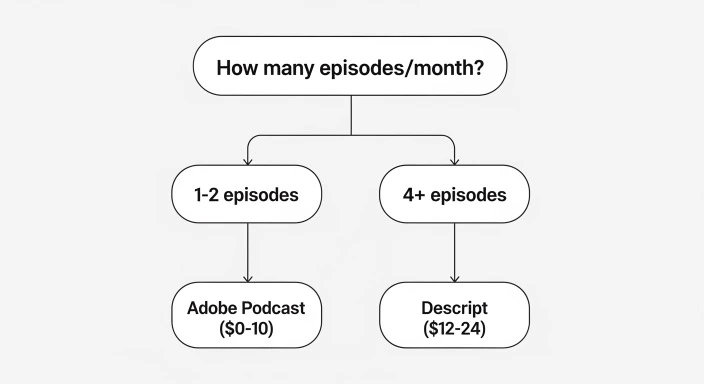
After two months of real-world testing:
Adobe Podcast AI is best for:
- Casual podcasters (1-2 episodes/month)
- Quick audio rescue/enhancement only
- Budget under $10/month
- Beginners wanting simple tools
Descript is best for:
- Active podcasters (4+ episodes/month)
- Anyone valuing time over money
- Video podcasts
- Professional production quality
My recommendation:
Month 1: Try Adobe free tier to understand AI enhancement
Month 2: Try Descript free trial to experience text-based editing
Month 3: Choose based on your publishing frequency
If you publish 4+ episodes monthly, Descript’s $12/month pays for itself in saved time within one episode.
For related guides on AI editing tools, see our complete AI video editing comparison and free video editors guide.
Which tool matches your podcasting needs? Share in the comments!