

Best ai chrome extensions
We live in the age of multitasking. Between emails, meetings, and endless tabs, it’s easy to lose focus. That’s why AI Chrome extensions for productivity are becoming essential. Instead of switching between multiple apps, these lightweight tools sit inside your browser and help you work smarter, not harder.
According to Zapier’s State of Automation Report, AI-powered tools save professionals an average of 6–10 hours per week (Zapier). If you’re still relying on traditional methods, you’re missing out on easy wins.
1. Grammarly: Write Smarter Everywhere
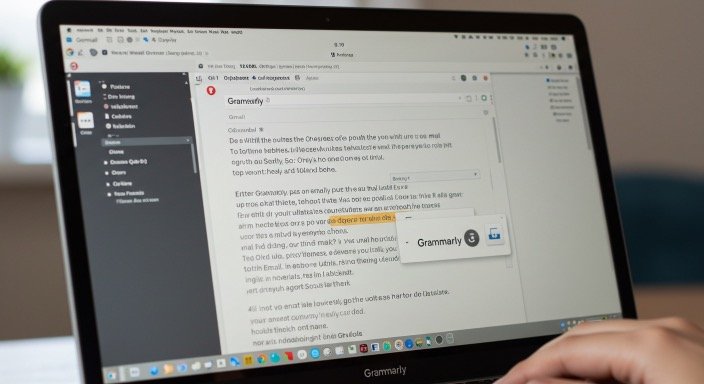
If you write emails, blog posts, or reports, Grammarly is a must-have. This AI-powered writing assistant checks grammar, spelling, tone, and clarity in real time.
- Best for: Students, professionals, content creators.
- Why it matters: Saves time editing, ensures polished writing.
- Where it works: Gmail, Google Docs, LinkedIn, and most websites.
The Modern Language Association (MLA) recommends grammar support tools for maintaining professional and academic credibility (MLA.org).
Best ai chrome extensions
2. Jasper AI: Quick Content Generation
Jasper AI helps you draft blog posts, ad copy, and even social media updates without starting from scratch. With the Chrome extension, you can generate text directly inside your browser.
- Best for: Marketers, freelancers, bloggers.
- Why it matters: Cuts writing time by half, generates new ideas.
- Where it works: Google Docs, WordPress, email platforms.
The Content Marketing Institute highlights that AI writing tools are transforming how marketers create content (CMI).
Best ai chrome extensions
3. Otter.ai: Transcribe Meetings Instantly
Tired of taking notes during calls? Otter.ai listens to Zoom or Google Meet sessions and produces accurate transcripts. Its Chrome extension makes recording and note-taking seamless.
- Best for: Students, teams, remote workers.
- Why it matters: Saves hours of manual note-taking.
- Where it works: Zoom, Meet, Teams.
The Harvard Business Review found that automated transcription tools improve knowledge retention in teams (HBR).
Best ai chrome extensions
4. Fireflies.ai: AI Note-Taking for Teams
Fireflies.ai is another transcription tool, but it goes further by summarizing calls, tagging action items, and syncing notes to project management apps.
- Best for: Teams, managers, sales professionals.
- Why it matters: Converts conversations into actionable tasks.
- Where it works: Google Meet, Zoom, Slack.
Forbes highlights AI note-taking as one of the fastest-growing productivity niches (Forbes).
Best ai chrome extensions
5. Compose AI: Smarter Writing with Autocomplete
Compose AI acts like autocomplete on steroids. It predicts full sentences, suggests rewrites, and speeds up email writing.
- Best for: Professionals writing repetitive emails.
- Why it matters: Reduces keystrokes, saves hours weekly.
- Where it works: Gmail, Outlook, CRM tools.
The American Psychological Association notes that reducing repetitive tasks increases cognitive energy for complex work (APA).
6. Notion AI: Organize Tasks and Notes Effortlessly
With the Notion AI Chrome extension, you can turn scattered ideas into structured pages. It summarizes content, generates outlines, and creates task lists directly inside Notion.
- Best for: Students, writers, project managers.
- Why it matters: Simplifies planning and task management.
- Where it works: Notion app and browser extension.
The European Commission on Multilingualism underscores the role of AI in organizing and translating complex information (EU Report).
Best ai chrome extensions
7. Merlin: ChatGPT in Your Browser
Merlin brings ChatGPT into any Chrome tab. Highlight text, ask a question, or get instant summaries without leaving your page.
- Best for: Researchers, students, professionals.
- Why it matters: Cuts research and brainstorming time.
- Where it works: Google Search, Docs, any webpage.
MIT CSAIL research shows that conversational AI tools are speeding up problem-solving across industries (MIT).
8. Wordtune: Rewrite Sentences Instantly
Wordtune suggests alternative ways to phrase your sentences, making your writing clearer and more engaging.
- Best for: Writers, professionals, ESL learners.
- Why it matters: Enhances style and tone without losing meaning.
- Where it works: Gmail, Google Docs, Slack.
The British Council stresses that grammar and style tools improve confidence for non-native speakers (British Council).
9. Mem AI: Your Personal Knowledge Assistant
Mem AI acts as a personal second brain. The Chrome extension saves snippets, organizes them, and retrieves them when you need them.
- Best for: Researchers, professionals, lifelong learners.
- Why it matters: Turns scattered knowledge into organized notes.
- Where it works: Across browser tabs and apps.
Stanford HCI Lab highlights the growing importance of personal knowledge management tools (Stanford HCI).
10. Monica: AI Chatbot on Any Page
Monica is a Chrome extension that acts like a mini-ChatGPT right inside your browser. It can summarize articles, generate responses, and brainstorm ideas.
- Best for: Writers, students, professionals.
- Why it matters: Saves time switching between apps.
- Where it works: Any website.
TechCrunch reports that lightweight AI assistants are among the most adopted browser tools in 2025 (TechCrunch).
How to Choose the Right AI Chrome Extension
Not every tool fits everyone. Before installing, ask yourself:
- Do I need writing help or task management?
- Will this extension integrate with my existing tools?
- Is the free version enough, or do I need premium features?
Choosing the right mix prevents extension overload and ensures real productivity gains.
Bringing It All Together
AI Chrome extensions have transformed the browser into a powerful productivity hub. From writing assistants like Grammarly to research helpers like Merlin, these tools prove that small changes deliver big results.
If you want to save hours every week, start by testing one or two of these extensions. Once you see the time savings, you’ll wonder how you ever worked without them.
Ready to boost your productivity? Install one of these extensions today and let AI do the heavy lifting.
Go to Homepage