
Life in 2026 moves fast.
Work blends into personal time.
Notifications never stop.
To-do lists pile up faster than they get finished.
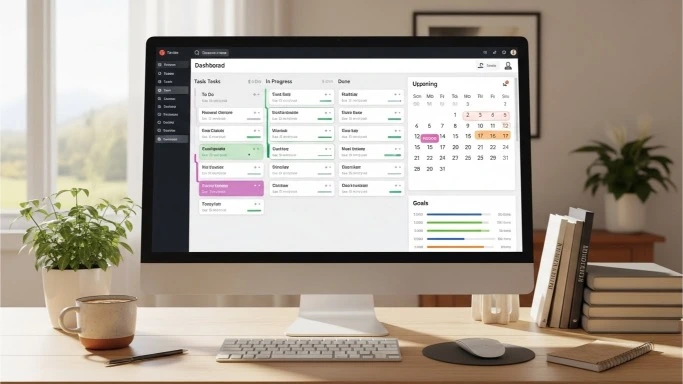
That’s why more people are searching for the best AI tools to organize your life — not to become robotic, but to feel calmer, clearer, and more in control.
The right tools don’t push you harder.
They reduce noise, remember things for you, and help you focus on what actually matters.
This guide breaks down the best AI tools to organize your life in 2026, how people really use them, and how to choose the right ones without overwhelming yourself.
What “Organizing Your Life” Really Means in 2026

Organization today is not just about tidy calendars or clean inboxes.
In 2026, it means:
- Managing tasks without mental overload
- Keeping work and personal life from blending into chaos
- Remembering priorities without stress
- Reducing decision fatigue
The best AI tools help by:
- Turning thoughts into structured plans
- Automating reminders and routines
- Connecting scattered information into one system
You still make decisions.
The tools simply support you.
Why AI Organization Tools Matter More Than Ever
People don’t struggle because they’re lazy.
They struggle because they’re juggling:
- Too many apps
- Too many commitments
- Too many unfinished tasks
AI-powered organization tools help by:
- Centralizing information
- Making priorities visible
- Reducing repetitive thinking
That’s why these tools are no longer optional for many people — they’re essential.
What to Look for in the Best AI Organization Tools
Before jumping into tools, here’s what actually matters.
Good AI organization tools should:
- Be easy to use daily
- Reduce thinking, not add more
- Work across devices
- Adapt to your routines
- Help you act, not just store information
If a tool feels heavy or complicated, it won’t last.
The Best AI Tools to Organize Your Life in 2026
Below are the most reliable and widely used tools people depend on — each serving a slightly different purpose.
1. Notion
Best all-in-one life organization tool
Notion is one of the most flexible tools for organizing both work and personal life.
People use it to:
- Manage tasks and projects
- Plan goals and habits
- Store notes and ideas
- Track routines and schedules
With AI features, Notion helps:
- Turn messy notes into clear plans
- Summarize long lists
- Generate structured outlines
It works well for students, freelancers, and anyone who wants one place for everything.
Source: https://www.notion.so
2. Todoist
Best for daily task clarity
Todoist is ideal if you want:
- Simple task lists
- Clear priorities
- Daily focus
AI features help by:
- Suggesting task priorities
- Organizing tasks by urgency
- Keeping lists manageable
This tool is popular with people who want structure without complexity.
Source: https://todoist.com
3. Motion
Best for automatic daily planning
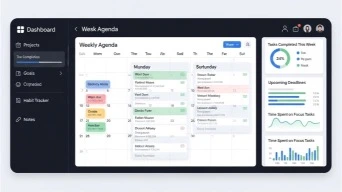
Motion is designed for people who struggle with time planning.
It helps by:
- Automatically scheduling tasks
- Adjusting plans when things change
- Protecting focus time
Instead of deciding when to work on things, Motion does it for you.
This is especially helpful for busy professionals and freelancers.
Source: https://www.usemotion.com
4. ClickUp
Best for structured life + work management
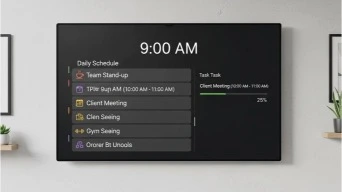
ClickUp works well if your life involves:
- Multiple responsibilities
- Ongoing projects
- Long-term goals
It combines:
- Tasks
- Docs
- Calendars
- Automations
AI features help summarize progress and highlight what needs attention next.
Source : https://clickup.com
5. Google Calendar
Best for scheduling and reminders
Google Calendar remains one of the most reliable organization tools.
With smart scheduling and suggestions, it helps:
- Block time intentionally
- Remember important events
- Avoid overbooking
When paired with task tools, it becomes a powerful planning system.
Source: https://calendar.google.com
6. Evernote
Best for capturing ideas and information
Evernote is ideal for:
- Saving thoughts quickly
- Organizing notes automatically
- Finding information later
AI-powered search helps surface notes when you need them, not when you remember where you saved them.
Source: https://evernote.com
7. Zapier
Best for connecting your life systems
Zapier isn’t a planner — it’s a connector.
It helps automate things like:
- Turning emails into tasks
- Creating calendar events from forms
- Syncing apps automatically
This reduces repetitive actions and keeps systems aligned.
Source: https://zapier.com
8. RescueTime
Best for understanding where time goes
RescueTime quietly tracks activity and shows:
- Where time is spent
- What distracts you most
- When focus drops
This insight helps people make smarter adjustments instead of guessing.
Source: https://www.rescuetime.com
How People Actually Use These Tools Together
Most people don’t rely on one tool alone.
A common setup looks like this:
- Notion → life hub and planning
- Todoist → daily tasks
- Google Calendar → time blocking
- Zapier → automation
- RescueTime → awareness
Each tool plays a role without overlap.
How to Choose the Right AI Organization Tools for You
Don’t copy someone else’s setup.
Instead, ask:
- Where do I feel most overwhelmed?
- What do I forget most often?
- What drains my mental energy?
Simple recommendations:
- Overwhelmed by tasks → Todoist or Motion
- Too many notes → Notion or Evernote
- Poor time awareness → RescueTime
- App overload → Zapier
Start with one tool, master it, then expand.
Common Mistakes People Make With Organization Tools
- Using too many apps
- Overplanning instead of acting
- Ignoring simplicity
- Switching tools constantly
The best system is the one you actually use.
Short FAQ: AI Tools to Organize Your Life
Do I need AI tools to be organized?
No — but they make organization easier and more sustainable.
Are these tools expensive?
Most cost less than a coffee per week.
Can one tool replace everything?
Sometimes, but combining two or three usually works better.
How long does setup take?
Basic setups can be done in one afternoon.
Final Thoughts

The best AI tools to organize your life in 2026 don’t push you to do more.
They help you:
- Think less
- Focus better
- Feel calmer
- Stay consistent
You don’t need the perfect system.
You need one that supports how you live.
Start small. Stay simple.
Let your tools work quietly in the background.
Find more AI tasks for 2026 at https://quicktaskai.com