

Free AI Tools Students Need to Use
Being a student today is not just about textbooks and lectures anymore.
You’re juggling:
- online classes
- assignments across platforms
- group projects
- part-time work
- constant notifications
- limited time and energy
By 2026, students who work smarter — not harder — will have a huge advantage. And the biggest difference-maker is free AI tools that help you learn faster, stay organized, and reduce stress.
This guide is not about fancy tech or complicated setups. It’s about real tools students can use for free to:
- understand lessons faster
- write better assignments
- stay focused
- manage time
- organize notes
- study efficiently
If you’re a student — or supporting one — this list will save hours every week.
If you’re interested in productivity beyond studying, you might also like to read this article.
Let’s dive in.
How This List Was Chosen
Every tool on this list meets three simple criteria:
- Free to use (with meaningful functionality)
- Actually helpful for students
- Easy to use — no tech background needed
No fluff. No tools that look cool but waste time.
Free AI Tools for Studying & Understanding Concepts

1. Perplexity
Perplexity helps students research topics quickly and understand complex ideas without endless searching. It summarizes information clearly and shows sources.
Best for:
Research, explanations, quick learning
Reference: https://www.perplexity.ai
2. Khanmigo (Free Version)
Designed for learning support, this tool helps students understand subjects step by step rather than just giving answers.
Best for:
Math, science, guided learning
Reference: https://www.khanacademy.org/khan-labs
3. Explainpaper
Upload academic papers and get simple explanations for confusing sections.
Best for:
College students, research papers
Reference: https://www.explainpaper.com
4. Elicit
Elicit helps students find relevant academic research faster by summarizing papers and extracting key insights.
Best for:
Essay writing, research projects
Reference: https://elicit.org
5. Scite (Free Tier)
Scite helps students see how research papers are cited — whether they support or challenge claims.
Best for:
Academic credibility, citations
Reference: https://scite.ai
Free AI Tools for Note-Taking & Organization
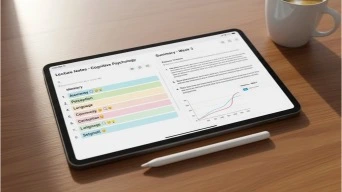
6. Notion AI (Free Student Access)
Many students get free or discounted access. It helps organize notes, summarize lectures, and plan coursework.
Best for:
All-in-one student workspace
Read also Which is the Better Productivity Assistant: Notion AI vs. ChatGpt
7. Otter (Free Plan)
Records lectures and meetings, then turns them into searchable notes.
Best for:
Online classes, lectures
Reference: https://otter.ai
8. Tactiq
Automatically transcribes online lectures and meetings.
Best for:
Zoom and Google Meet classes
Reference: https://tactiq.io
9. Mem
Mem organizes notes intelligently so you don’t have to worry about folders.
Best for:
Long-term note organization
Reference: https://mem.ai
10. NotebookLM
Upload your study materials and interact with them conversationally.
Best for:
Reviewing class materials
Reference: https://notebooklm.google
Free AI Writing & Assignment Tools

11. Grammarly (Free Version)
Improves grammar, clarity, and tone in essays and emails.
Best for:
Assignments, emails, reports
You will also like to read the this related article.
12. QuillBot
Paraphrases sentences and helps reword content clearly.
Best for:
Rewriting and clarity
Reference: https://quillbot.com
13. Hemingway Editor
Helps students write clear, readable sentences.
Best for:
Improving readability
Reference: https://hemingwayapp.com
14. Scribbr (Free Tools)
Includes citation generators and plagiarism checks.
Best for:
Academic writing
Reference: https://www.scribbr.com
15. Wordtune (Free Tier)
Rewrites sentences to sound more natural and confident.
Best for:
Polishing assignments
Reference: https://www.wordtune.com
Free AI Tools for Time Management & Focus
16. Motion (Free Trial)
Helps plan study schedules around deadlines and energy levels.
Best for:
Time management
Reference: https://www.usemotion.com
17. Todoist AI (Free Plan)
Turns tasks into structured to-do lists automatically.
Best for:
Daily planning
Reference: https://todoist.com
18. Forest
Encourages focus by rewarding uninterrupted study time.
Best for:
Reducing distractions
Reference: https://www.forestapp.cc
19. Clockwise (Free Tier)
Optimizes calendars to reduce conflicts and overload.
Best for:
Busy students
Reference: https://www.getclockwise.com
20. StudySmarter
Creates flashcards, summaries, and study plans.
Best for:
Exam preparation
Reference: https://www.studysmarter.co
How Students Can Combine These Tools Effectively
Using one tool is helpful. Combining a few is powerful.
Example workflow:
- Research with Perplexity
- Take notes with Notion
- Record lectures with Otter
- Write assignments with Grammarly
- Plan study time with Todoist
This setup costs nothing and saves hours every week.
You may also like to read Best AI Chrome Extensions for Productivity
Common Questions Students Ask (FAQ)
Are these tools really free?
Yes. All listed tools offer meaningful free plans.
Can these tools replace studying?
No. They support learning — they don’t replace it.
Are these tools allowed in school?
Most are allowed for research, organization, and writing assistance. Always check school guidelines.
Do I need all 20 tools?
No. Pick 5–7 that match your biggest challenges.
Best Practices for Students Using AI Tools
- Use tools to understand, not shortcut
- Always review your work
- Combine tools thoughtfully
- Focus on learning outcomes
Used correctly, these tools improve grades and reduce stress.
The bottom line

Education is changing fast. Students who adapt early gain an edge.
Free AI tools help you:
- learn faster
- stay organized
- write better
- manage time
- reduce overwhelm
You don’t need expensive software or advanced skills.
You just need the right tools and a smart approach.Start small.
Use what works.
And let technology support your learning — not replace it.