
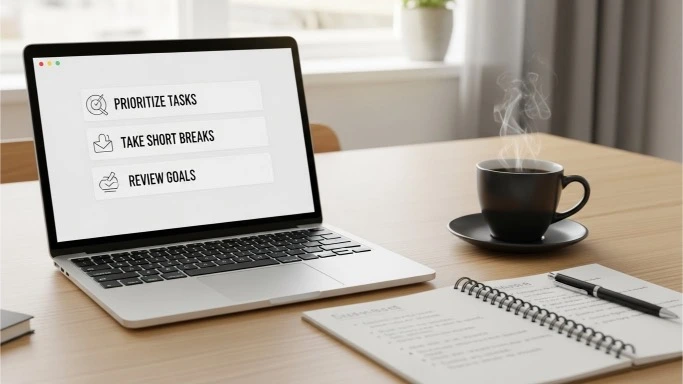
Most people don’t struggle with motivation.
They struggle with clarity.
You sit down to work and suddenly:
- your to-do list feels overwhelming
- you don’t know what to do first
- you jump between tasks
- hours pass with little progress
This is exactly where the right prompts can change everything.
The prompts below are designed to help you:
- plan your day faster
- focus on what actually matters
- organize messy thoughts
- reduce decision fatigue
- finish work in less time
You don’t need to tweak them.
You don’t need to overthink them.
Just copy, paste, and use.
If you’re new to using prompts, you may also find this article helpful
Let’s dive in.
How to Use These Productivity Prompts (Quick Tip)
Before we start, one simple rule:
The clearer your context, the better the result.
If a prompt says “today’s tasks,” paste your actual tasks.
If it says “this project,” briefly explain the project.
Even one sentence of context can double the usefulness.
1- Daily Planning & Focus Prompts
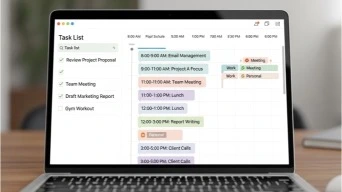
These prompts help you start your day with clarity instead of chaos.
- “Help me plan my day based on these tasks. Prioritize what matters most and suggest a realistic schedule.”
- “Create a simple to-do list for today that focuses on impact, not busywork.”
- “I have 4 hours to work today. Help me decide what to focus on.”
- “Turn this messy list of tasks into a clear action plan.”
- “What should I do first today if I want the biggest result with the least effort?”
- “Help me break today’s work into 25-minute focus blocks.”
- “Create a calm, realistic work plan for a low-energy day.”
- “Help me avoid multitasking and focus on one thing at a time today.”
2- Task Breakdown & Overwhelm Reduction
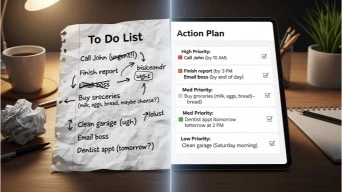
When a task feels too big, productivity disappears. These prompts fix that.
9. “Break this task into small, manageable steps I can start right now.”
10. “Explain how to start this project in the easiest possible way.”
11. “What is the simplest next action I can take on this task?”
12. “Help me turn this vague goal into clear, doable steps.”
13. “Which parts of this task can be done quickly, and which need more focus?”
14. “Help me simplify this project so it takes less time.”
You might also like this guide on saving time every week.
3- Work Smarter (Not Longer) Prompts
These prompts help you get better results without longer hours.
15. “How can I complete this task in half the time?”
16. “What shortcuts or simplifications can I use for this work?”
17. “Which part of this task actually matters most?”
18. “Help me identify unnecessary steps I can skip.”
19. “What would an efficient expert do differently here?”
4- Writing, Emails & Communication Prompts
Writing often eats more time than it should.
20. “Rewrite this message to be clear, professional, and concise.”
21. “Help me write a short email that gets straight to the point.”
22. “Simplify this paragraph so it’s easier to understand.”
23. “Turn these bullet points into a clear message.”
24. “Help me respond politely and confidently to this message.”
For deeper writing help, check this article.
5- Decision-Making Prompts
Indecision kills productivity. These prompts help you move forward.
25. “Help me decide between these two options based on my goals.”
26. ““What are the pros and cons of doing this now versus later?”
27. “If I had to choose the simplest option, what would it be?”
28. “Help me make this decision without overthinking it.”
29. “What decision would future-me thank me for?”
6- Time Management Prompts
These prompts help you take control of your schedule.
30. “Help me plan my week around my energy levels.”
31. “Which tasks should I batch together to save time?”
32. “Help me build a simple weekly routine that actually works.”
33. “What tasks should I stop doing or delegate?”
34. “Create a realistic work schedule that avoids burnout.”
7- Productivity for Students & Learning
If studying feels slow or scattered, these prompts help.
35. “Help me study this topic faster by focusing on the key ideas.”
36. “Turn these notes into a simple study guide.”
37. “Explain this topic in plain language.”
38. “Create practice questions from these notes.”
For productivity extensions, click here.
8- Organization & Digital Declutter Prompts
Messy systems drain focus.
39. “Help me organize my tasks into categories.”
40. “Create a simple system to manage my work.”
41. “Help me clean up my digital workspace step by step.”
42. “Suggest a simple way to track progress without overcomplicating it.”
9- Motivation & Mental Clarity Prompts
Productivity isn’t just about tools. It’s also about mindset.
43. “Help me get unstuck when I feel unmotivated.”
44. “What’s a gentle way to restart after procrastinating?”
45. “Help me focus when my mind feels scattered.”
46. “Remind me why this task matters.”
10- End-of-Day & Reflection Prompts
Reflection improves tomorrow’s productivity.
47. “Help me review what I accomplished today.”
48. “What worked well today, and what didn’t?”
49. “What should I improve tomorrow based on today?”
50. “Help me create a simple plan for tomorrow.”
Common Questions About Productivity Prompts (FAQ)
Are these prompts only for work?
No. They work for personal tasks, studying, side projects, and daily life.
Do I need to use all 50?
Not at all. Pick 5–10 that match your biggest struggles.
Can beginners use these prompts?
Yes. They’re designed to be simple and clear.
Will these prompts save time?
Yes — especially if you use them consistently.
The bottom line

Productivity isn’t about discipline or working harder.
It’s about clarity, focus, and momentum.
The right prompts help you:
- stop overthinking
- start faster
- finish more
- feel less stressed
You don’t need complicated systems.
You just need better questions.Start with a few prompts today.
Use them daily.
And let productivity feel easier — not exhausting.